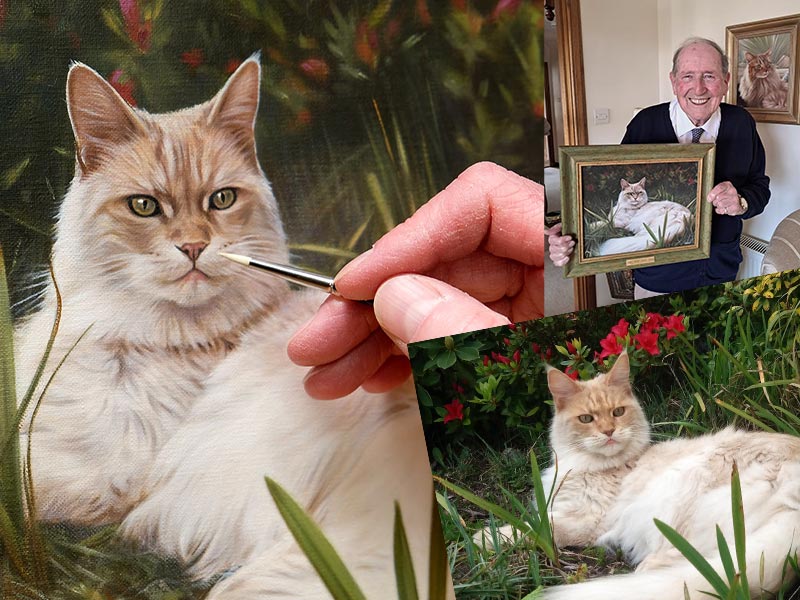
Nicholas and I have written about photographing pets for our websites and blogs for the last 30 years. Our Photography Guide on our website is a good start. Somehow we still come across clients who not only are unable to take photos of their pets. They simply don’t take photos of their pets! So I felt it was time we wrote a blog post about how to take the perfect pet photo on your phone. I can remember many times clients emailing to commission a portrait, where they only have three or four photos and realise when it’s too late they should have taken more. In this day and age, there is no excuse for snapping away during your pets’ lives. Otherwise you really might regret it.
Maybe you are hoping to commission a pencil drawing from myself (Melanie), or an oil painting from Nicholas. Or perhaps you simply want to take better photos of your pets on your phone. Either way, our guide is packed with practical advice. I will also be sharing examples from the many portraits we have worked on over the years. You will see the original photos behind them too. So let’s see if we can help you take the perfect photo. It is just what I tried to do with our beautiful dog Lily last summer, when she was still with us.
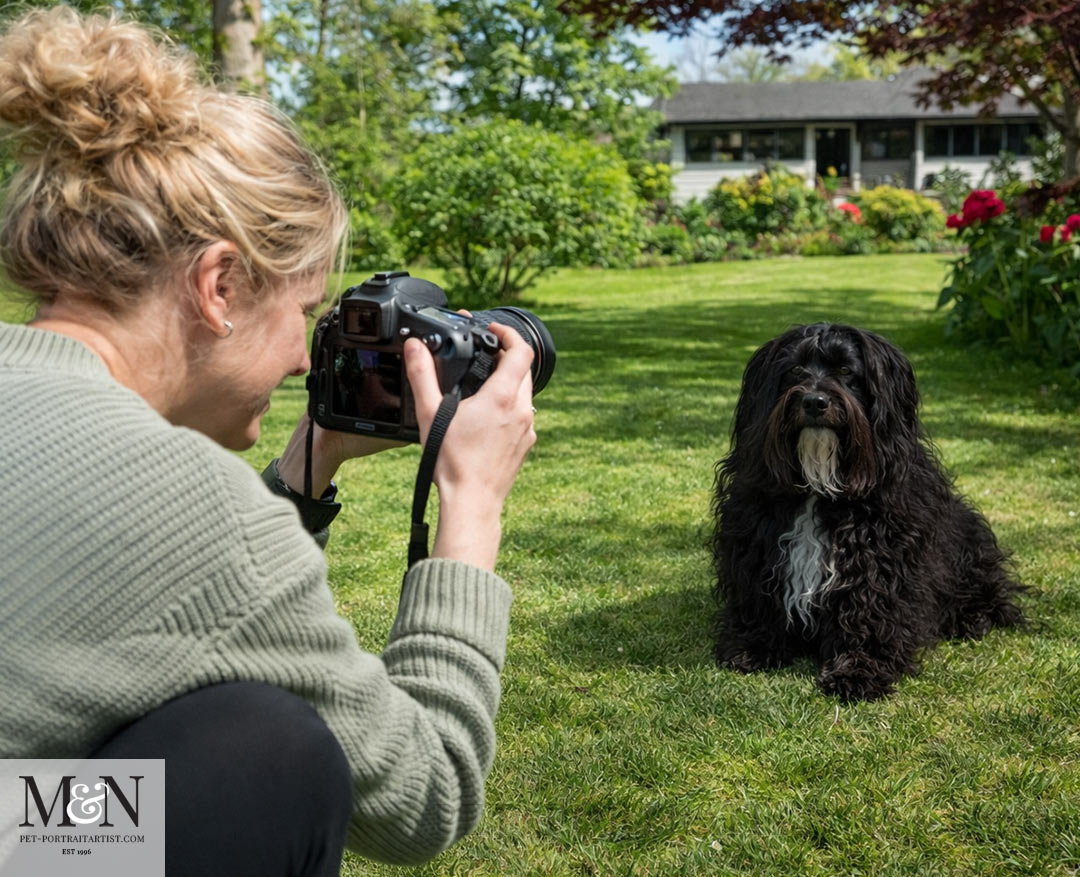
Reading your pet’s behaviour
Photographing pets is nothing like photographing people. You can’t explain what you want or ask them to sit in a particular position. Trying to make a pet sit still and look at your phone can sometimes end in frustration. Over the years we have learned that the harder you try, the more your pet looks away. Or suddenly decides to get up and walk away! The photographs that work are almost always the ones you allow to happen. Wait until your pet is relaxed and content and more often than not, the will picture take itself.
To help this along try to take a short walk or a play session beforehand as it can take the edge off their energy. Talk to them, laugh, let them feel that you are enjoying yourself, because they will mirror it. A squeaky toy or a treat held just above the lens can win you a lovely alert expression. Use these sparingly, as too much tips a pet from curious into overstimulated. Above all, learn to read the small signals. Yawning, panting, turning away and lip licking are all saying they need a break.
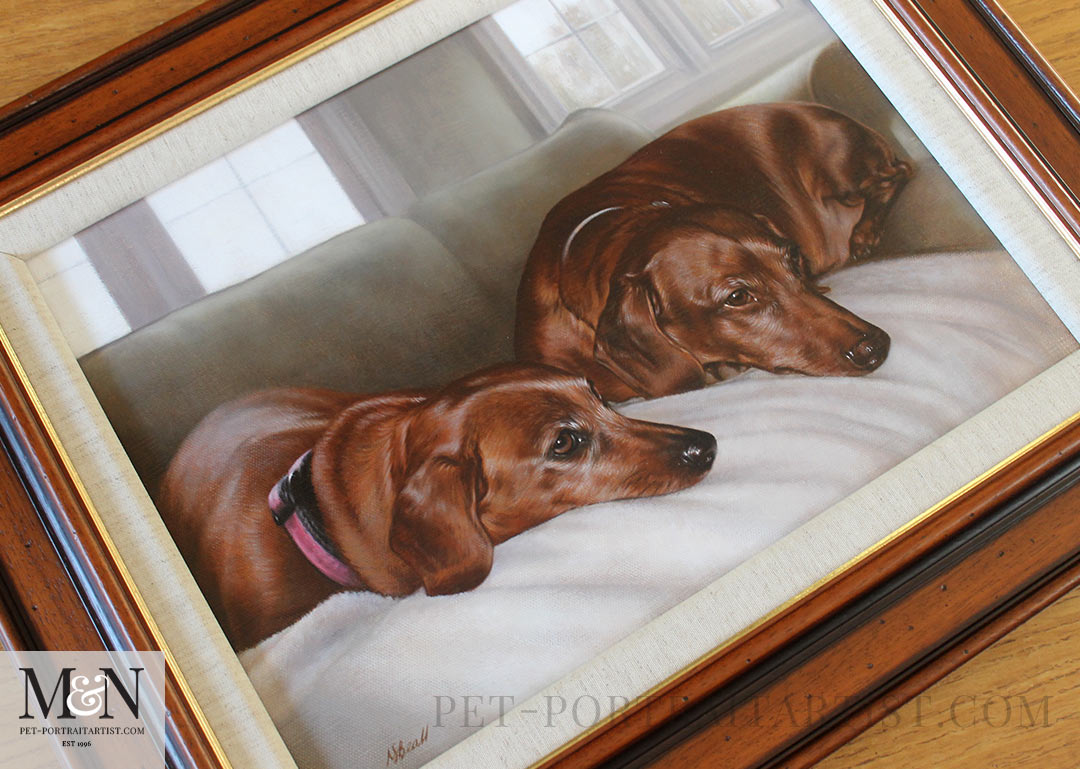
Sometimes there is no such things as perfect pose too. Some of the most wonderful portraits we have painted or drawn have come from a candid, slightly imperfect moment that captures exactly who your pet is. Just like this painting of Maggie and Max. A candid relaxed pose that captured their favourite sofa, the bond they share, their downtime and their happy moment together. This all made the perfect and most peaceful, serene painting.
How to Take the Perfect Pet Photo on Your Phone – The eyes
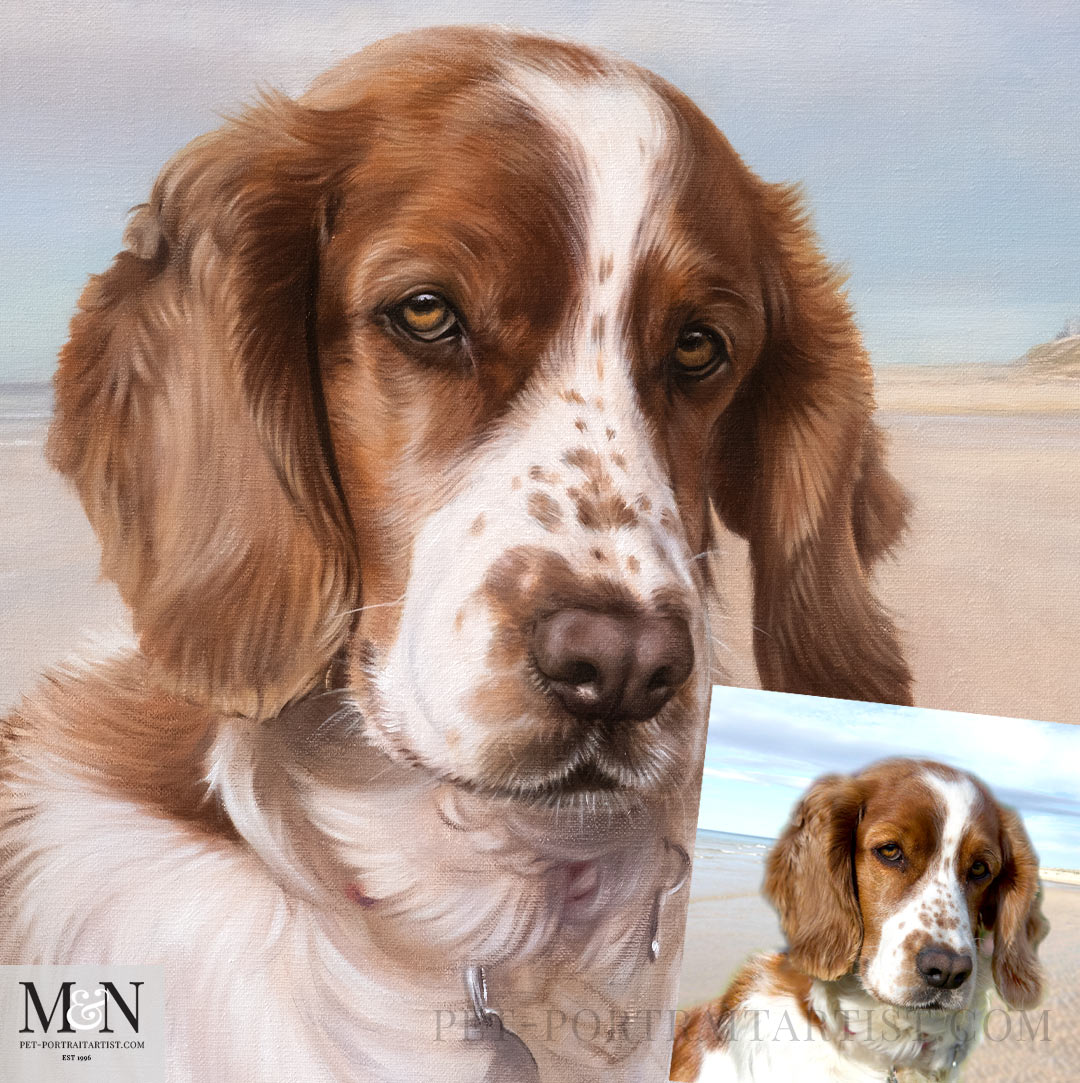
If there is one thing that makes or breaks a photo for us as artists, it is the eyes. Every portrait we create truly begins there, so the eyes need to be sharp and properly in focus. Before you press the button, tap gently on your pet’s face on the screen so the phone focuses exactly where it matters most.
It is also well worth taking a few close ups alongside your wider shots. One or two photos of just the eyes and nose. Also a shot of any special markings or that lovely fleck of white on a paw, give us so much more to work from. Those little close ups often make all the difference to the finished piece.
Getting the exposure right for dark and pale coats
This is the one area where phones tend to struggle, so it is worth knowing a simple trick. Your phone tries to guess how bright the picture should be. With very dark or very pale pets it often gets it wrong. A black dog can come out looking grey with all that lovely shiny coat lost. While a white cat can turn into a bright blur where you can no longer see the detail in the fur.
The good news is that you can put this right in a couple of seconds on the phone screen. Hold your phone up to your pet and gently tap on your pet’s face on the screen. This tells the phone that your pet is the important part of the picture. So it will focus there and set the brightness to suit them. On an iPhone a little yellow box appears where you tap, with a small sun symbol next to it. Slide that sun upwards with your finger to make the picture brighter, or downwards to make it darker, until your pet looks just right. Most Android phones do exactly the same thing, with a sun or a slider that pops up when you tap.
So if your pet is dark and coming out too gloomy, tap on them and slide the brightness up a little until you can see the detail in their coat again. If your pet is pale and looking washed out, tap on them and slide it down a touch until the softness of the fur comes back. It takes a moment and it makes a world of difference.
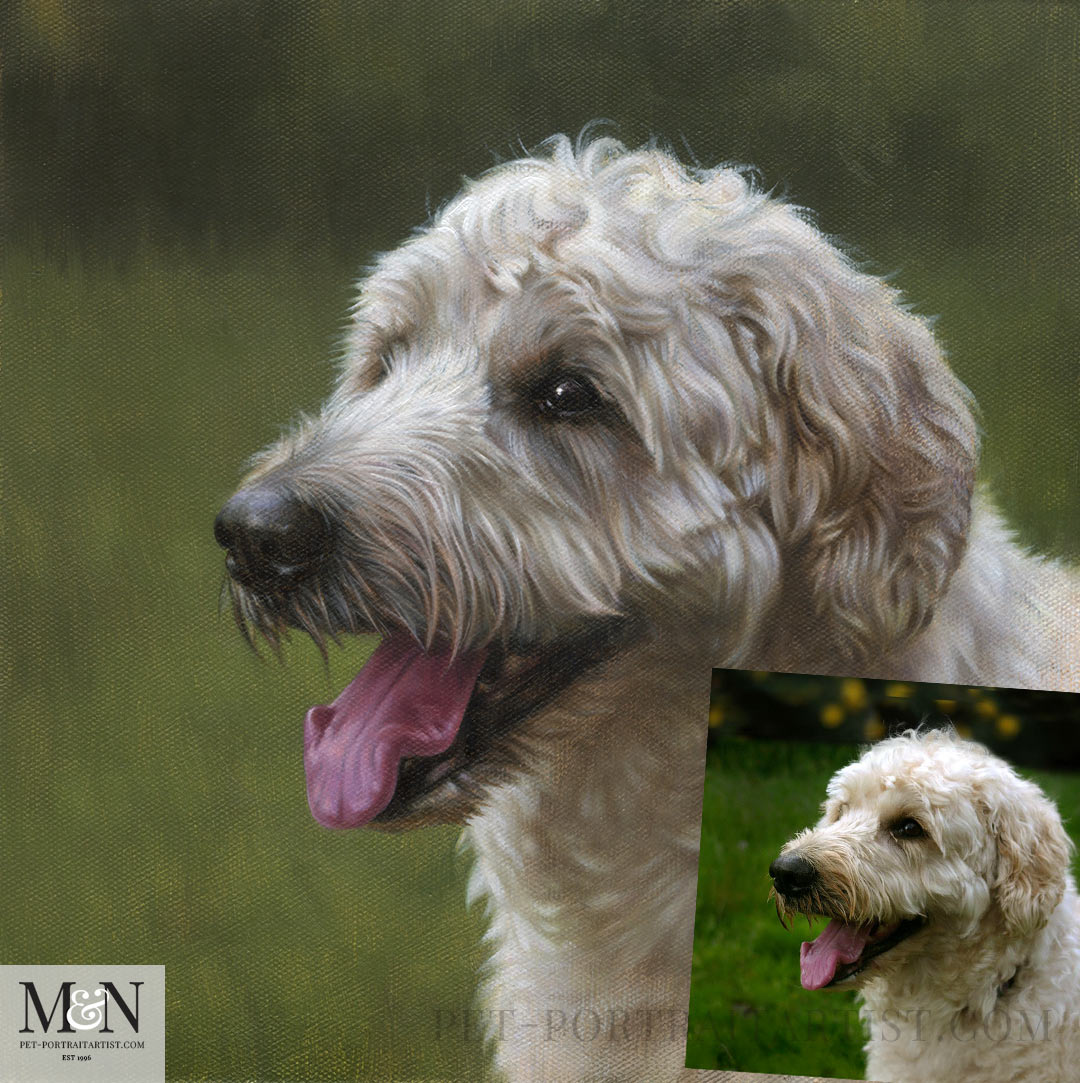
The Painting and Photo of Amber
Lighter coloured dogs do take photos well outside in a green garden environment. This photo and painting of Amber is a good case in point. Nicholas has used a muted green in the background so that it doesn’t come forward and take away from Amber. You can see that her lovely cream tones of her coat really stand out and the painting has a very natural feel.
Backgrounds for Dark or Light Pets
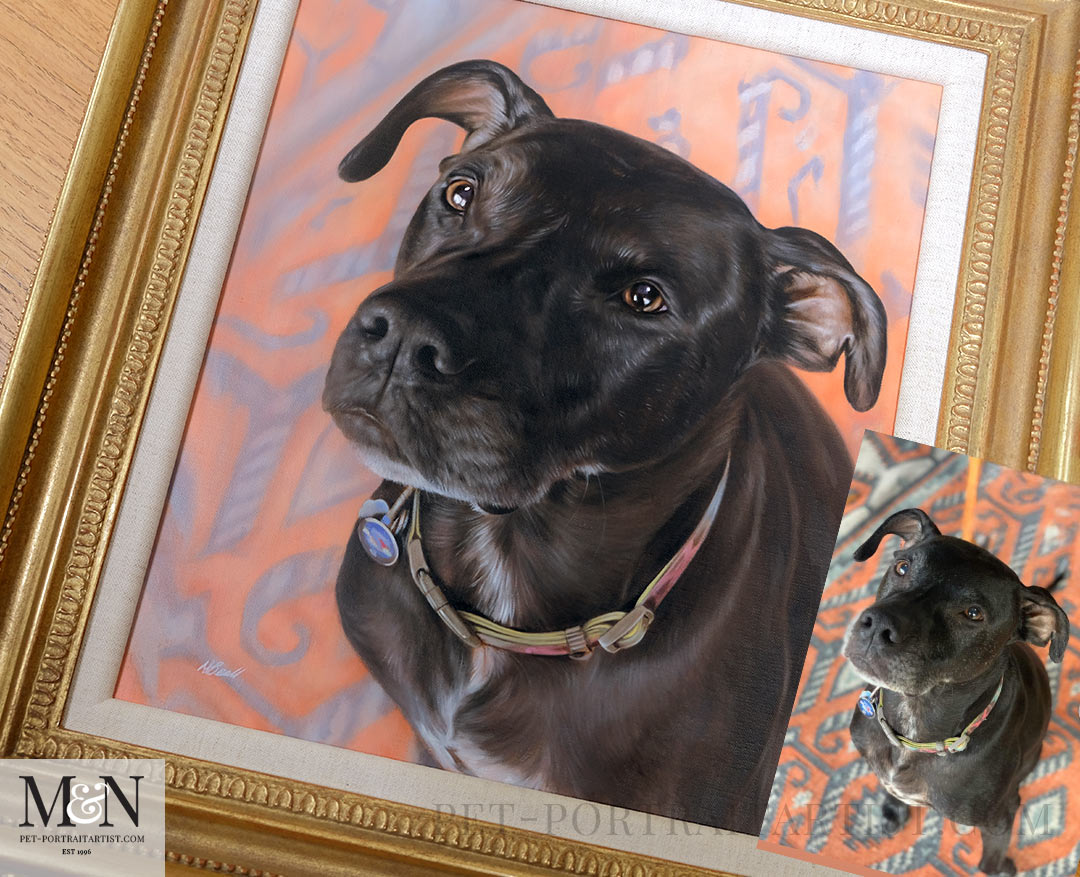
One thing that helps enormously when taking photos of dark coloured dogs is the background. A black dog on a dark sofa almost disappears, and a white cat on a white duvet gets lost, so try to place your pet against something that contrasts with their coat. And wherever you can, photograph them in soft natural light near a window or patio doors.
As you can see with the candid shot of Wallace below, the rug he was sat on was the perfect contemporary background for him. It really worked well with his dark coloured coat. The warm orange tones in the rug, compliments the warm brown in his ears and eyes beautifully.
Making the most of your phone
If your camera of choice is a smartphone, you are in very good company. Most of the reference photos that clients email us are taken on a phone. It really does come down to knowing how to use it well. Keep it within easy reach, because those moments during the day where you see that your pets are being ‘typically them’, snap away. They often make the loveliest portraits.
Where you can, use the optical zoom rather than the digital one. The digital zoom simply enlarges and softens the image. The two times zoom on an iPhone is ideal. A shot taken down at floor level on a phone, framed and lit well, can easily rival a professional camera.
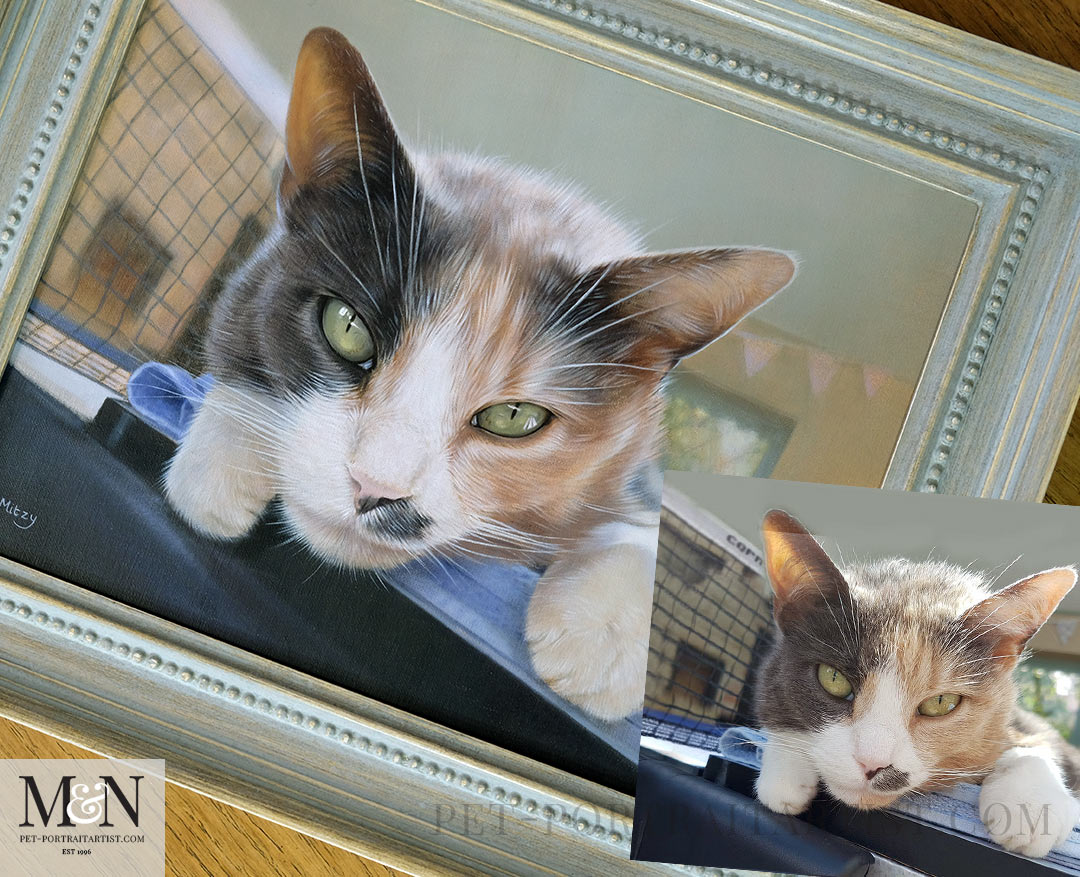
The painting below was a snap taken of Mitzy on a ping pong table, just a moment in time captured with a phone. It turned out to be a really fabulous photo, dynamic and totally different for a portrait. You don’t always have to have the traditional head and shoulders style portrait, it’s good to think outside of the box sometimes!
Get down to their level
As mentioned above, getting down to their eye level is key. It is such a simple change and it completely transforms a photo. Rather than standing over your pet and pointing the phone down at them, get right down to their eye level. Kneel, crouch, or even lie on the floor if you can. Seeing the world from their height gives you a warm, engaging portrait that draws you in, instead of a slightly awkward view looking down onto the top of their head.
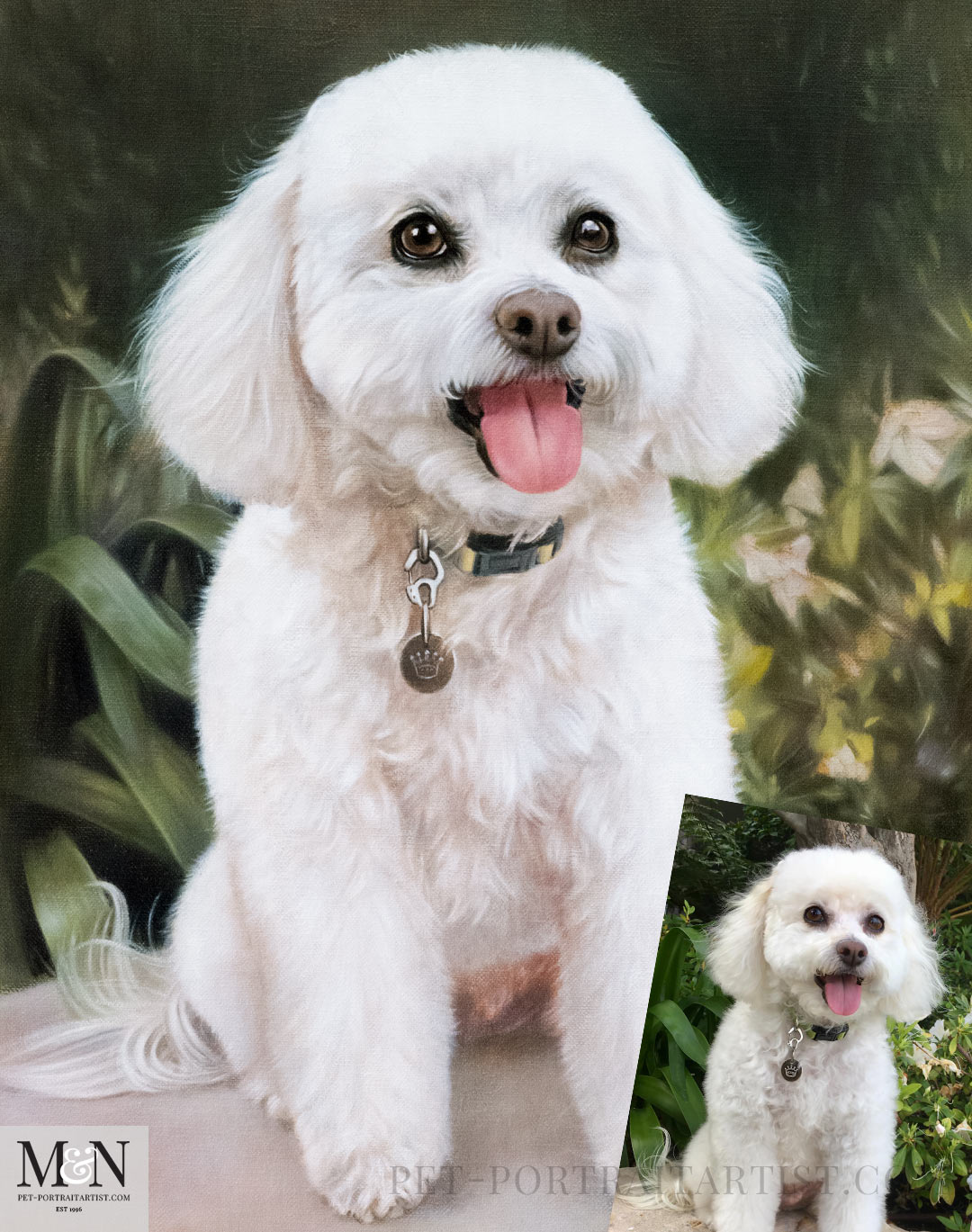
If you have very small dogs or are photographing a cat, pop them on a table so they are on your level a bit more. Always handy to have a second person to help if you are placing your dog on a table, for safety. This photo and portrait of Lulu is the perfect angle and eye level. We can see right at her eyes and face with the rest of her body for a full body painting.
How to Take the Perfect Pet Photo on Your Phone – Composition
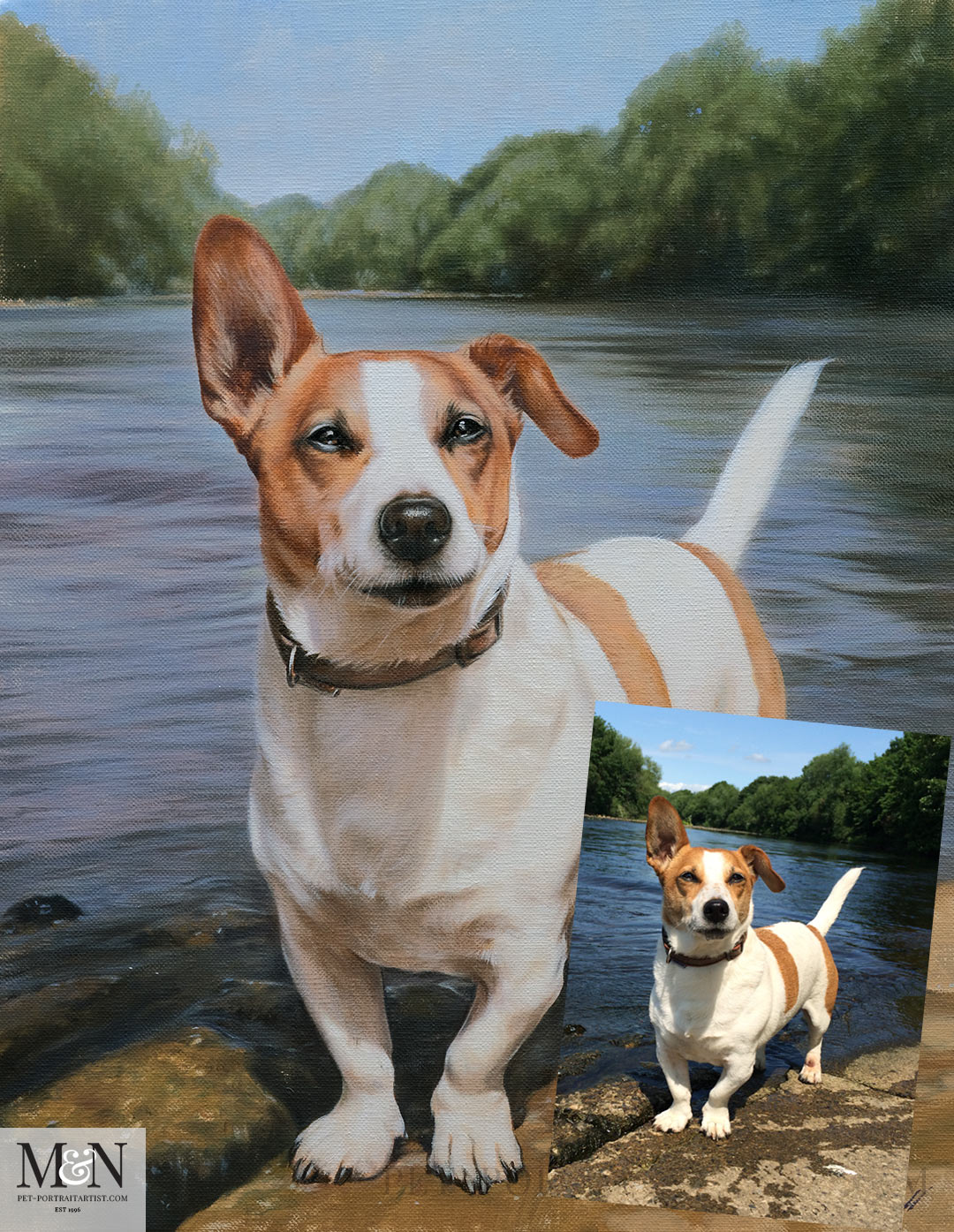
Composition is what lifts a technically good photograph into a genuinely lovely one. We can do a lot with our mock-ups to create the perfect composition to paint from, but its always handy to have a good well posed photo to start with. Try to arrange everything in the frame so that your pet is the star rather than a spec in the distance. Placing your pet right in the middle of the frame gives you something bold and striking with plenty of detail and a nice hint of background, just like the painting of Toby below.
It helps to leave a little space in the direction your pet is looking, which gives the image room to breathe and hints at a story. Keep an eye on the background and crop out or move away from anything that does not add to the picture. A little foreground, a few blades of grass, some leaves or a favourite toy, brings a sense of depth. And do play with colour. Setting a white light coloured dog like Toby against the river and trees really makes him stand out.
Take plenty of photos
This is the tip that matters most of all. Take far more photos than you think you could possibly need. Pets rarely give you that perfect look on the very first try, so the more you take, the greater your chance of catching the one magical expression.It doesn’t need to be in one sitting either. Days or weeks of photos taken as and when, will give you plenty of choice.
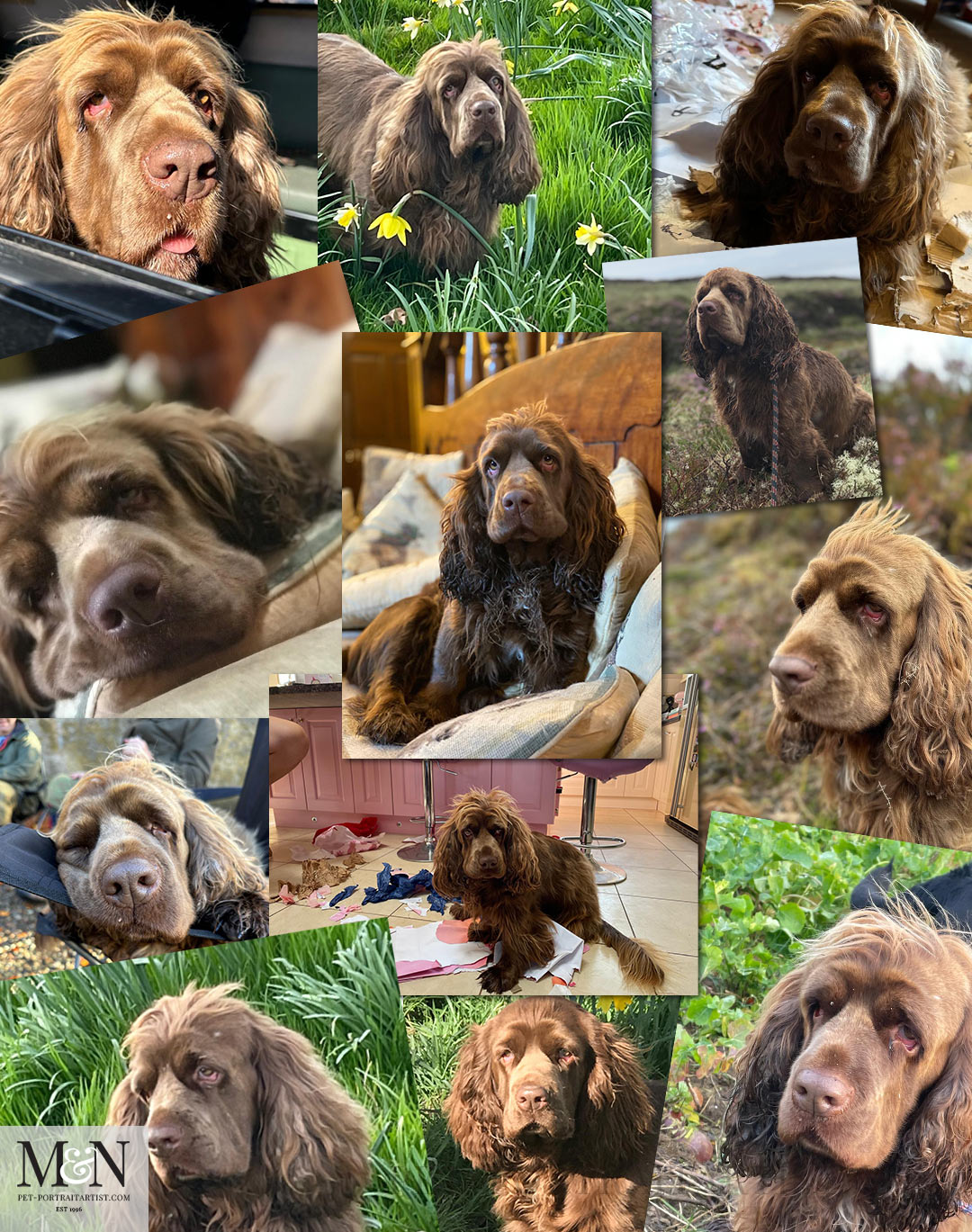
So often a client emails with just one photo however we love to see more than just one. Not just to get a rounded picture of your pet, but to be able to see detail, eye colour, markings, expressions, coat variations during their grooms etc. Snap away whenever your pet is simply being themselves. You can always delete the ones that do not work, but you can never go back and take the one you missed.
The collection of photos below is of a beautiful dog called Fudge. These are just a few that Sarah our client sent to us. The middle photo was the chosen one for the portrait. Isn’t she just adorable.
Sending your photos to us
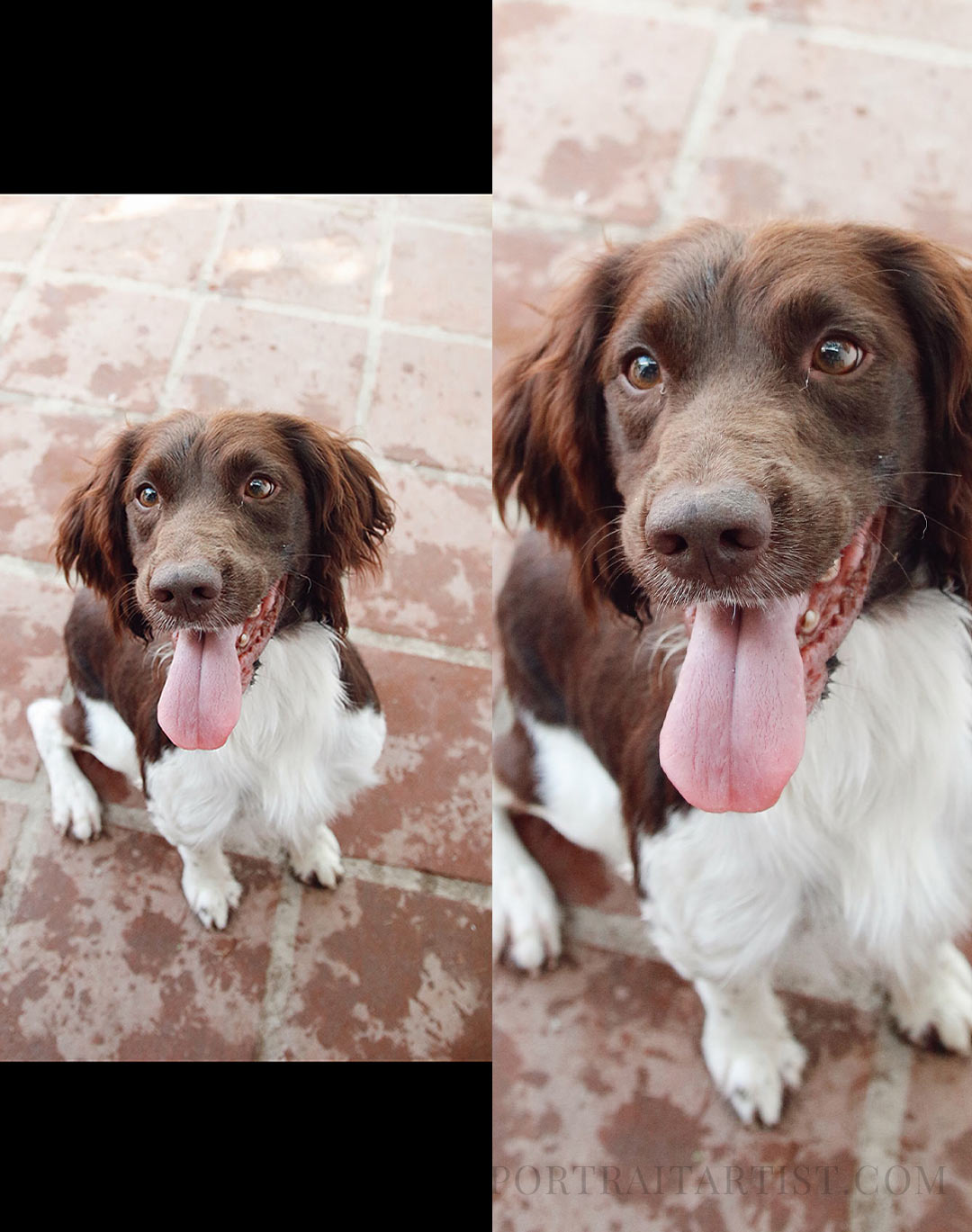
When you have your photos and you are ready to send them over, please email us the original files straight from your phone. It is so tempting to send a screenshot, or to save a picture from Facebook, WhatsApp or Instagram and forward that instead, but every time an image travels through social media it gets squashed down and loses detail. All that beautiful detail can simply disappear. The full size original, sent by email or through a file sharing link, keeps every bit of the detail we need to do your pet justice. You can see the size difference between a screenshot and a close up in the example below.
A quick checklist before you send
- Are the eyes sharp and in focus?
- Have you filled the frame with your pet?
- Is it taken in natural light?
- Did you get down to their level?
- Have you taken plenty to choose from, including a few close ups?
- Are you sending us the original photo rather than a screenshot?
How to Take the Perfect Pet Photo on Your Phone – final thoughts
Whether you are taking a handful of photographs for the pleasure of it or preparing for a portrait commission, pet photography has very little to do with expensive equipment or understanding all the technical knowledge about F-stops! It comes down to patience and really knowing your pet. Just keep going, keep taking photos each day and you will come up with the perfect photo eventually.
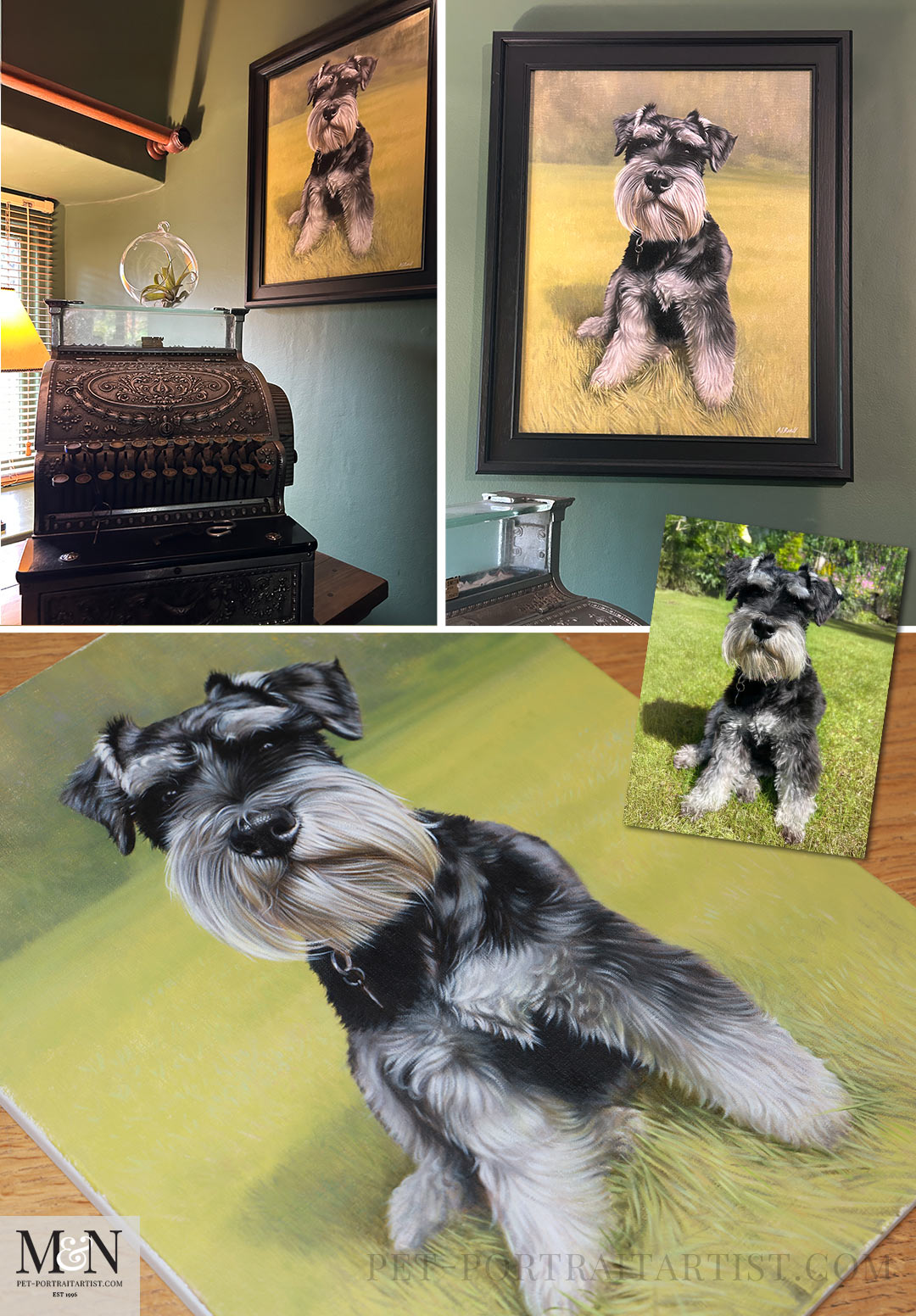
The photo below is of a beautiful Miniature Schnauzer called Meg. Her owner sent a selection of beautiful photos of her in the garden that she had taken and the portrait turned out beautifully. Sadly Meg is no longer with us, so this painting is treasured. Megs owner Diane sent us some amazing photos of it framed. Its all about the story.. the old fashioned till you can see in the photo below belonged to her parents who owned a shop. Amazing history and what a beautiful corner of their room in their home, filled with special memories.
How to Take the Perfect Pet Photo on Your Phone
I hope you have enjoyed our blog post – How to Take the Perfect Pet Photo on Your Phone. If you are thinking of commissioning a portrait and would like a hand choosing the best photograph to work from, do get in touch. Helping you pick the right photo is one of our favourite parts of the process, and we are always happy to advise. And if you would like to go even deeper, our in depth guide to photographing your pet covers everything in even more detail. Happy photographing.
Contact Us!
If you have a question or you would like to commission a portrait, contact us at any time. Don’t forget to subscribe to our YouTube Channel too.
2 thoughts on “How to Take the Perfect Pet Photo on Your Phone”